
Kuycon Blog
Mac monitor guides and comparisons
Everything you need to choose the right Retina 5K or 6K monitor for your Mac — buying guides, honest comparisons against Apple and every major brand, and picks for the Mac mini and Mac Studio.
Buying guides
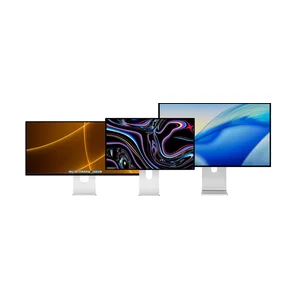
Is a Kuycon monitor compatible with your MacBook Pro?
One USB-C cable, native 5K or 6K, up to 100 W charging. Resolution, ports, Thunderbolt, colour, warranty and shipping, answered in 19 points.
Read the guide →
Eye strain at the screen: what actually helps
The five real causes of tired eyes, how to set up your monitor for free today, and the specifications that genuinely help on long days.
Read the guide →
The 32-inch 6K, the last price gap
Where the gap really stands in 2026: €69 per million pixels against €270 for the Pro Display XDR.
Read the analysis →Best 5K monitor for Mac
The best alternatives to Apple's Studio Display compared — G27P, G27X SE and P27Z, from around €940.
Read the guide →Best 6K monitor for Mac
A genuine alternative to Apple's Pro Display XDR: the 32" 6K G32P and G32X, from around €1,200.
Read the guide →Compare every Kuycon monitor
All the Kuycon 6K, 5K and 4K models side by side — resolution, size, refresh rate and price.
Compare them all →Kuycon against the competition
 VS
VSApple Studio Display VS Kuycon G27P
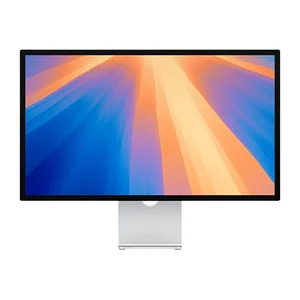
Two 27" 5K monitors for the Mac — and why the G27P costs about half as much.
Read →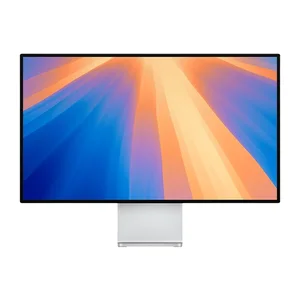 VS
VSApple Pro Display XDR VS Kuycon G32P
6K against 6K: the benchmark monitor against an alternative at a quarter of the price.
Read →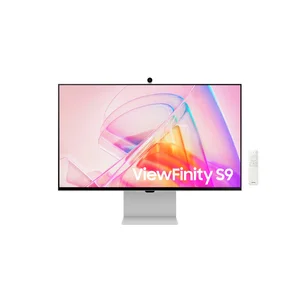 VS
VSKuycon VS Samsung ViewFinity S9
The same 27" 5K panel, with HDR on top, for about half the price.
Read →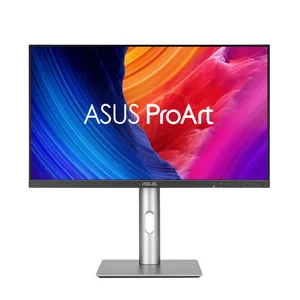 VS
VS
Kuycon VS ASUS ProArt PA32QCV
Two affordable 32" 6K monitors for the Mac, head to head.
Read →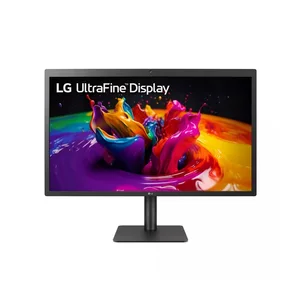 VS
VSKuycon G27P VS LG UltraFine 5K
The Mac's historic 5K monitor against an in-stock alternative that costs less and adds HDR.
Read →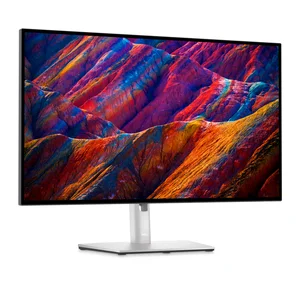 VS
VSKuycon VS Dell UltraSharp U2723QE
True 5K Retina against Dell's 4K docking monitor for the Mac.
Read →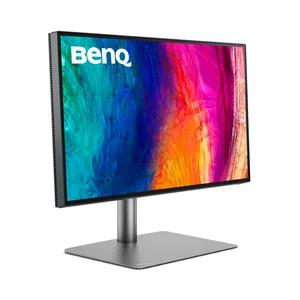 VS
VSKuycon G27P VS BenQ PD2725U
5K Retina against a factory-calibrated 4K designer monitor.
Read →For your Mac
Best monitor for the Mac mini
Mac-compatible Retina monitors, from affordable 4K to 6K — choose according to your budget.
Read →Best monitor for the Mac Studio
Retina 5K and 6K monitors worthy of a Mac Studio, without the Apple price.
Read →Which Kuycon monitor should you choose?
Answer a few questions and get a personalised recommendation.
Help me choose →Gaming and PC
Best Kuycon gaming monitor
5K at 180 Hz, QD-OLED 4K at 240 Hz or ultrawide 5120 × 2160 — six models compared, from around €500.
Read the guide →A Kuycon monitor on a Windows PC
Compatibility, recommended scaling per model, the bandwidth required and the right cable — with no drivers to install.
Read the guide →Photo editing and video editing
DCI-P3 coverage, 10-bit, real contrast and calibration: the four numbers that matter, and the monitors that deliver them.
Read the guide →Setup and trust
Connecting your monitor, and fixing what goes wrong
Setup in five steps, then the seven most common problems: no signal, stuck at 4K, capped at 60 Hz, flickering.
Read the guide →
Adjusting the brightness of an external monitor on Mac with MonitorControl
The Mac’s brightness keys do nothing on an external monitor. MonitorControl, free and open source, fixes that via DDC/CI: installation, settings, troubleshooting and alternatives.
Read the analysis →Is Kuycon a trustworthy brand?
Who sells, who handles after-sales service, what warranty, what customs — and the three criticisms you hear about the brand.
Read →Choosing the right monitor
Best monitor for a MacBook
One cable, up to 100 W of charging and Retina density: how to choose for a MacBook Pro or a MacBook Air.
Read the guide →27 or 32 inches?
Density, viewing distance, real workspace: why size is not the right criterion, and the 4K 32-inch trap.
Read the guide →IPS, IPS Black or QD-OLED?
Five panel technologies, five trade-offs: contrast, colour, speed and burn-in risk, model by model.
Read the guide →Which 4K monitor to choose
Five models from €499 to €1,350, from 60 to 240 Hz — and the point where 5K is the better call.
Read the guide →Stands, mounts and VESA
What the box really contains, the VESA 100 × 100 standard, and how to choose between a pack, a stand alone, an arm or a base.
Read the guide →Against Apple, in 2026
The Pro Display XDR is gone
Discontinued on 3 March 2026 and replaced by a 27-inch: Apple no longer sells any 6K monitor. What to replace it with.
Read →Is the Studio Display worth its price?
Thunderbolt 5, a camera and six speakers — but still 60 Hz and no HDR. What the price actually buys.
Read →Replacing a 27-inch iMac
Apple will not make another one. How to find exactly the same 27-inch 5K panel, and why that is good news.
Read the guide →The real price of a Retina monitor
Stand, glass, cables, customs and lifespan: the full calculation for a ready-to-use 5K setup, options included.
Read →Understand before you buy
5K or 6K?
The same Retina density, 44% more surface: what you are really buying by moving up a size.
Read the guide →Retina, ppi and scaling
Why a 27-inch 4K displays less crisp text than a 5K, and what 2× scaling really does.
Read the guide →Thunderbolt, USB-C, DisplayPort, HDMI
What each standard carries, the bandwidth required, and the thirty-second check before you order.
Read the guide →Matte or glossy?
Reflections, contrast and eye strain: the choice is settled by looking at what is behind you.
Read the guide →Behind the scenes
Setting up and connecting
Desk arms and wall mounting
Stand, clamp arm, wall mount or free-standing base: the four solutions, and the two numbers to check before ordering.
Read the guide →Dual monitors: setting them up properly
The combinations that work, the bandwidth required — and the cases where a single large monitor does better.
Read the guide →The single-cable desk
Picture, peripherals and up to 100 W of charging in the same cable: the three conditions and the typical setup.
Read the guide →Two computers, one monitor
One machine per input, switching by remote, and the three ways to bring the keyboard and mouse along.
Read the guide →Gaming and consoles
Which monitor for a PS5 or an Xbox?
HDMI 2.1, 16:9 and native 4K: the three criteria that matter, and the two formats to avoid for a console.
Read the guide →Which graphics card for gaming?
Displaying and computing are not the same demand: the pixel count per resolution, and the benchmarks per model.
Read the guide →By profession
The photographer's monitor
From culling to delivering prints: resolution, DCI-P3, portrait mode and matching screen to paper.
Read the guide →Which monitors for an estate agency?
The agent's desk, client presentation, wall-mounted portrait display — and why this is not a shop-window screen.
Read the guide →Travel agencies and reception areas
The monitor two people look at: viewing angles, the persuasive power of the image, appearance and silence.
Read the guide →Building a premium desk
Five decisions in the order they actually come up, and the method for making cables disappear.
Read the guide →By use and by profession
The monitor for remote work
Uncontrolled light, limited space, a desk that gets packed away: choosing on the right constraints rather than on a spec sheet.
Read the guide →The developer's monitor
Why 218 ppi change how you read code, how many lines you see without scrolling, and what portrait mode brings.
Read the guide →Architecture, CAD and BIM
Usable surface or fineness of lines: the trade-off specific to drawings, and the two formats that answer it.
Read the guide →Streaming and content creation
One monitor for the action, one for the control room: how to split the budget between the two.
Read the guide →Music production and audio studio
Timeline width before density, and silence without a fan: the one profession where we advise against high density.
Read the guide →Equipping a business
Warranty, VAT and customs, availability over time, fleet consistency and an eight-year calculation.
Read the guide →Understand before you buy
Your first external monitor
The six questions that really are enough, and the only possible regret: underestimating density.
Read the guide →HDR explained
What it actually does, what the certifications are worth, and why DisplayHDR 400 adds almost nothing.
Read the guide →60, 120, 240, 330 Hz
What a hertz measures, why your machine counts as much as the monitor, and the point of dual modes.
Read the guide →Curved or flat?
What curvature solves, what it costs — and why no Kuycon monitor is curved.
Read the guide →Mac compatibility and buying guides
MacBook Pro M5: capped at 60 Hz
On M5 Pro and M5 Max, high-refresh 5K falls back to 60 Hz. What macOS 26 limits, and which monitors escape the problem.
Read the guide →Which Kuycon for which Mac?
MacBook Air, MacBook Pro, Mac mini, Mac Studio: the matching table, machine by machine.
Read the guide →Which monitor for your budget
Five tiers from €499 to €1,539, and the one step buyers regret not taking.
Read the guide →The best affordable second monitor
The same aluminium look, one cable, crisp text: three options from €499.
Read the guide →The Apple design without the price
Machined aluminium, 5 mm bezels, a smooth back: how it is made, and where the price difference goes.
Read the guide →Model comparisons
The P27ZB, 4K at 240 Hz
Nano IPS Black, 480 Hz in Full HD, 2000:1 contrast and ΔE below 2: the newcomer in detail.
Read the guide →G27P or P27Z?
The same resolution, the same Retina density. Refresh rate, contrast and €130 separate them.
Read the guide →P27ZB or P27Z?
4K at 240 Hz or 5K at 180 Hz: the choice comes down to your machine.
Read the guide →G27P or G27X SE?
€23 on the price tag, more than €70 with the stand. The calculation comparisons forget.
Read the guide →P27D or P27L?
€230 between the glossy 144 Hz and the matte 60 Hz. Which one for your desk?
Read the guide →G32P or G32X?
Two 32-inch 6K monitors. Contrast and panel finish decide it, for €260.
Read the guide →P32K or Q34W?
32-inch 4K against 34-inch ultrawide, at the same price. Height or width?
Read the guide →One P40K or two 27-inch monitors?
The same surface, two ways of working. What the central bezel really changes.
Read the guide →Kuycon against the other brands
Care and support
Finish
Ready to find your monitor?
Browse the whole Kuycon range — Retina 5K and 6K monitors for the Mac, with a 2-year warranty in the European Union and delivery across Europe.
See all monitors